Check Your Driving License Print Status. Driving License Print Check. Driving License Print Status Check Now. Check your driving license. Driving License Print or not check your license online. Find your Driving license Online. Driving License Online Check Print Status. For the driver’s license, please contact the relevant transport management office only after one month from the date of dispatch mentioned here. Driving license status check or print status checking process are given below.
DOTM.Gov.Np Online Driving license print status check process for all general public. All the details regarding driving license can check from the given process. Driving License Print Status Check Process. How to check Driving license print check.
Driving License Print Status Check Driving License Received Name Lists details
Details of the license received so far at the Transport Management Office, Driver’s License Office. All the name lists details of Driving license holder’s are listed below. All the cited candidates are requested to take driving license from Yatayat Byabastha Office.
Check Your Driving License Print Status- How To Check Driving License Print Distribution Received Status
- Driving license print status check process details or Driving license print distribution received status
- Firstly click given link below Check Status Button
- Enter you Name in english and enter your Driving license number in english
- After entering your Name (English) & Driving license number then click Check Status
- After entering Check status button, it shows all the details of Driving license print status
- For the driver’s license, please contact the relevant transport management office only after one month from the date of dispatch mentioned here (Click Below Check Status Button to check your details)
How to Check Your Nepal Driving License Printing Status Right Now
Even though the central system is down, you can still find out whether your license has been printed using these alternative methods:
Step 1: Identify Your Issuing Transport Office
Find out which Yatayat (Transport) Office you originally submitted your application to. This is the office where your license is processed and distributed.
Step 2: Search for the Office Online or on Facebook
Most regional transport offices in Nepal are now publishing printed license name lists on their official Facebook pages and websites. Here’s how to find them:
- Open Facebook or Google
- Search for your office by name (e.g., “Yatayat Byabastha Karyalaya Radhеradhе Bhaktapur” or your specific district office)
- Visit the office’s Facebook page and scroll through recent posts
- Check the Notice/Suchana section of the office’s website if available
Step 3: Look for Your Name on the Published List
Transport offices are regularly posting the names of applicants whose licenses have been printed and are ready for collection. Scan through these lists and look for your name.
Step 4: Collect Your License with Your Original Receipt
Once your name appears on the list:
- Take your original application receipt (the slip you received when you applied)
- Visit the concerned transport office in person
- Collect your QR-code-based smart card driving license
Here is the list of Transport Management Offices reordered alphabetically by the specific office/location name.
| S.N. | Yatayat Office | Office Name | Driving License Print Status Website |
| 1 | Transport Management Office, Banepa | TMSO BANEPA KAVRE | http://banepayatayat.bagamati.gov.np/ |
| 2 | Transport Management Office, Chabahil | CHABAHIL KATHMANDU | https://chabahillicense.bagamati.gov.np/ |
| 3 | Transport Management Office, Dadeldhura | TMSO DADELDHURA | dadeltmso.dotm.gov.np |
| 4 | Transport Management Office, Dhankuta | TMSO DHANKUTA | tmsodhankuta.koshi.gov.np |
| 5 | Transport Management Office, Doti | TMSO DOTI DIPAYAL | dotitmso.dotm.gov.np |
| 6 | Transport Management Office, Ilam | TMSO ILLAM | illamtmso.dotm.gov.np |
| 7 | Transport Management Office, Itahari | TMO ITAHARI SUNSARI | tmodlsunsari.koshi.gov.np |
| 8 | Transport Management Office, Jhapa | BIRTAMODE JHAPA TMO | https://jhapatmo.dotm.gov.np/ |
| 9 | Transport Management Office, Jumla | TMSO JUMLA | tmojumla.karnali.gov.np/ |
| 10 | Transport Management Office, Navalparasi | TMO KAWASOTI | http://tmonawalpur.gandaki.gov.np/ |
| 11 | Transport Management Office, Navalparasi | TMSO NAWALPARAS | parasiyatayat.lumbini.gov.np |
| 12 | Transport Management Office, Okhaldhunga | TMSO OKHALDHUNGA | https://dotm.gov.np/content/51/regular-print-license-okhaldhunga/ |
| 13 | Transport Management Office, Palpa | TMSO PALPA | https://tmopalpa.lumbini.gov.np/ |
| 14 | Transport Management Office, Radheradhe Bhaktapur | RADHERADHE BHAKTAPUR | bhaktpurlc.dotm.gov.np |
| 15 | Transport Management Office, Rautahat | TMSO GAUR RAUTAHAT | https://dotm.gov.np/content/42/regular-print-license-gaur/ |
| 16 | Transport Management Office, Rukum | CHAURJAHARI RUKUM | tmorukum.karnali.gov.np |
| 17 | Transport Management Office, Saptari | TMSO RAJBIRAJ | https://dotm.gov.np/content/50/regular-print-license-rajbiraj/ |
| 18 | Transport Management Office, Sarlahi | TMO SARLAHI | https://dotm.gov.np/content/43/regular-print-license-malangwa/ |
| 19 | Transport Management Office, Sindhuli | TMO KHURKOT | https://www.facebook.com/tmo.khurkot/ |
| 20 | Transport Management Office, Surkhet | TMO SURKHET | surkhettmo.dotm.gov.np |
| 21 | Transport Management Office, Tanahun | TMO DUMRE TANAHUN | https://tmo.dumre.gandaki.gov.np/ |
| 22 | Transport Management Office, Thulo Bharyang | TMO THULOBHARYANG | http://thulobharyanglicense.bagamati.gov.np/ |
| 23 | Transport Management Office, Udayapur | GAIGHAT UDAYAPUR | udayprtmso.dotm.gov.np/ |
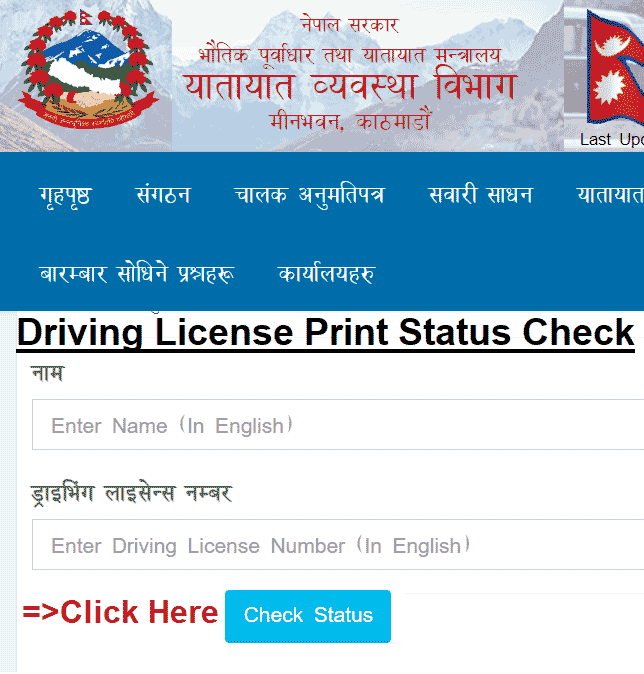
Click Above Check Status button to check your Driving license print status. All the Name details and driving license number details are required to check driving license print status.
=> Check Your Driving License Print Or Not in Online Mode
Tips for Staying Updated on Your License Status
Since the central online portal is not yet restored, here are some practical tips to stay informed:
- Follow your transport office’s Facebook page and turn on notifications so you don’t miss any new posts
- Check the office website regularly, especially the notice board or announcements section
- Visit the office directly if you haven’t received any update in a while — staff can check your status manually
- Keep your application receipt safe — you’ll need it to collect your license
Frequently Asked Questions (FAQs)
Can I still check my Nepal driving license status via SMS?
No. The SMS-based tracking system is currently offline due to damage to the central server. It will be restored once technical repairs are complete.
Is the DoTM website working for license status checks?
Not at this time. The official website’s license tracking feature is non-functional. DoTM has not announced an official restoration date yet.
How long will it take for the online system to come back?
There is no confirmed timeline yet. Until the central server is fully repaired and restored, the Facebook/website method remains the most reliable way to check your status.
What if my transport office hasn’t posted any list online?
In that case, visit your transport office directly with your application receipt. Office staff can manually verify whether your license has been printed and dispatched.
Is my license printed if I applied a long time ago?
Not necessarily. The Security Printing Centre is working through a backlog. Older applications are generally prioritized, but it depends on the batch. Checking your office’s published list is the best way to confirm.
Conclusion
Nepal’s driving license printing process is well underway, with nearly 8.75 lakh smart cards already printed out of the 12 lakh target. However, the breakdown of the central online tracking system has made it difficult for applicants to get real-time updates.
Until the DoTM’s online portal and SMS services are fully restored, the most effective way to check your driving license printing status is through your regional transport office’s Facebook page or official website. Once your name appears on the published list, visit the office with your original receipt to collect your QR-enabled smart card license.
Stay patient, keep checking your office’s social media channels, and you’ll be notified as soon as your license is ready for pickup.

Driving License Print Status Check License Status check
Rastriya Parichaya Patra Form Online application Process National ID Card
E- Passport Application Process Details- Apply Online E-Passport
Apply Online Application form Embossed Number Plate
Apply Online Driving License Application from your Home
Voter ID Card Matadata Card Online Application Process Apply Voter Card
Check Your Voter ID Card Matadata Card Online Details