If you are not satisfied with your SEE (Secondary Education Examination) Grade 10 results for the year 2082, the National Examinations Board (Rastriya Pariksha Board) of Nepal has officially announced the Retotaling (Punaryog) process. SEE Retotaling Recheck Online Application. This guide walks you through everything you need to know — who can apply, how to apply online, deadlines, fees, and the step-by-step process.
What Is SEE Retotaling (Punaryog)?
Retotaling, known as Punaryog in Nepali, is a formal process that allows students who are dissatisfied with their SEE Grade 10 examination results to request a re-checking or re-totaling of their answer sheets. The process is conducted officially by the Pariksha Niyantran Karyalaya (Examination Control Office), Class 10, located at Sanothimi, Bhaktapur, under the Government of Nepal’s National Examinations Board.
Payment.SEE.Gov.np Online SEE Retotal Punaryog Apply
| Detail | Information |
|---|---|
| Examination | Secondary Education Examination (SEE) — Class 10 |
| Year | 2082 (Academic Year) |
| Process | Retotaling / Punaryog |
| Application Mode | Online |
| Application Start Date | 2083/02/01 |
| Application Deadline | 2083/02/07 |
| Fee Per Subject | Rs. 500 (Five Hundred Only) |
| Official Website | see.gov.np |
| Payment Portal | payment.see.gov.np |
| Issuing Authority | Pariksha Niyantran Karyalaya, Class 10 |
| Office Location | Sanothimi, Bhaktapur |
SEE Online Retotal Application Recheck Process Application for SEE Result Re Total
Who Can Apply for SEE Retotaling 2082?
Any student who appeared in the SEE Grade 10 Examination 2082 and is not satisfied with their result in one or more subjects is eligible to apply for Retotaling. There is no restriction on how many subjects you can apply for — you simply pay Rs. 500 per subject.
Important Dates
| Event | Date (B.S.) |
|---|---|
| Result Dissatisfaction Window Opens | 2083/02/01 |
| Last Date to Apply | 2083/02/07 |
| Official Announcement Date | 2083/01/30 |
Note: Applications must be submitted strictly within the deadline. No applications will be accepted after 2083/02/07.
How to Apply for SEE Retotaling 2082 Online — Step-by-Step
Applying for SEE Punaryog 2082 is fully online. Follow these steps carefully:
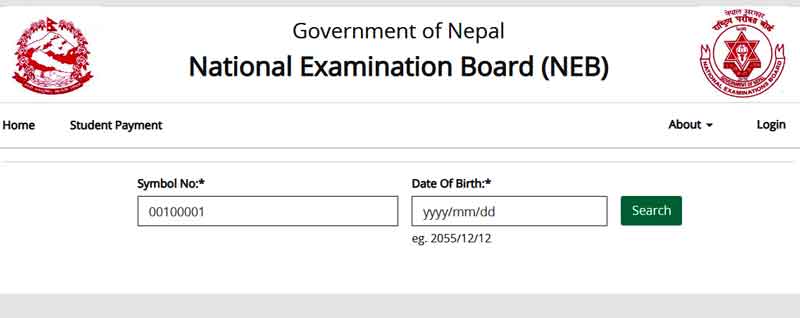
Step 1 — Visit the Official Website Open your browser and go to see.gov.np or directly navigate to the Retotaling Portal at payment.see.gov.np.
Step 2 — Enter Your Details On the Retotaling Portal, enter your:
- Symbol Number
- Date of Birth
Step 3 — Search and View Your Grade Sheet After entering your details, click the Search button. Your Grade Sheet will be displayed on the screen.
Step 4 — Select Subjects for Retotaling Review your Grade Sheet carefully. Select (tick ✓) the subjects for which you want to request Retotaling.
Step 5 — Click the Payment Button Once you have selected the subjects, click the Payment Button to proceed.
Step 6 — Pay the Fee The system will automatically calculate the total fee based on the number of subjects selected:
| Subjects Selected | Total Fee |
|---|---|
| 1 Subject | Rs. 500 |
| 2 Subjects | Rs. 1,000 |
| 3 Subjects | Rs. 1,500 |
| 4 Subjects | Rs. 2,000 |
| 5 Subjects | Rs. 2,500 |
| 6 Subjects | Rs. 3,000 |
| 7 Subjects | Rs. 3,500 |
| 8 Subjects | Rs. 4,000 |
Step 7 — Application Auto-Submitted After successful payment, your application for Retotaling will be automatically submitted. You do not need to visit any office in person.
Fee Structure
| Description | Amount |
|---|---|
| Fee per subject | Rs. 500 (Five Hundred) |
| Payment method | Online (via payment.see.gov.np) |
| Payment currency | Nepalese Rupees (NPR) |
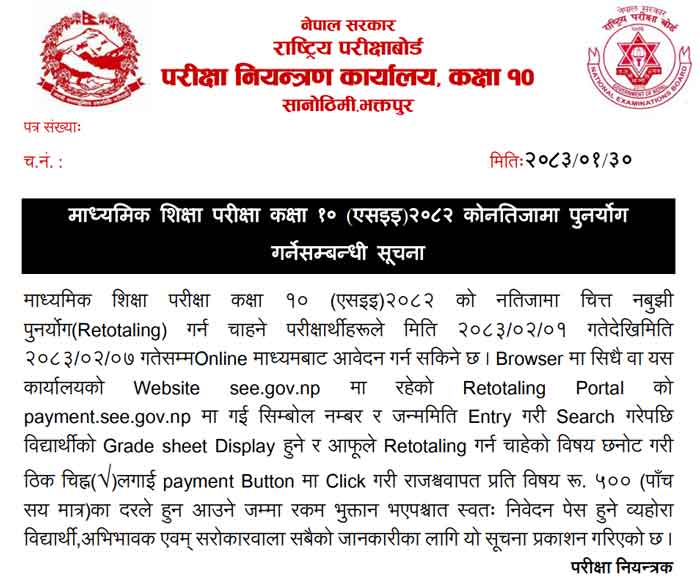
The Rajaswa (government tax/revenue) is included in the per-subject rate of Rs. 500.
=> Click Here To Apply Online SEE Result Retotal Application
Frequently Asked Questions (FAQ)
Q: Can I apply for Retotaling offline or at the office? No. Applications for SEE Retotaling 2082 are accepted online only through payment.see.gov.np or the official website see.gov.np.
Q: How many subjects can I apply for? You can apply for as many subjects as you wish, as long as they appeared on your Grade Sheet. Each subject costs Rs. 500.
Q: What if I miss the deadline of 2083/02/07? Applications will not be accepted after the deadline. Make sure to apply before 2083/02/07.
Q: Will I receive a physical receipt after payment? The system automatically generates your application after payment is completed online.
Q: Where is the Pariksha Niyantran Karyalaya located? The office is located at Sanothimi, Bhaktapur, Nepal.
Official Contact & Resources
| Resource | Details |
|---|---|
| Official Website | see.gov.np |
| Retotaling/Payment Portal | payment.see.gov.np |
| Issuing Authority | Pariksha Niyantran Karyalaya, Class 10 |
| Office Location | Sanothimi, Bhaktapur |
| Governing Body | Rastriya Pariksha Board (National Examinations Board), Nepal |
Summary
The SEE Grade 10 Retotaling (Punaryog) 2082 process is a student-friendly, fully online system that allows dissatisfied candidates to request re-checking of their examination papers easily. With an application window from 2083/02/01 to 2083/02/07, students must not delay. The fee is Rs. 500 per subject, and payment is made directly through the government portal at payment.see.gov.np.
Parents, guardians, and all concerned stakeholders are encouraged to share this information with students who appeared in the SEE 2082 examination.
=> Click Here To Apply Online SEE Result Retotal Application
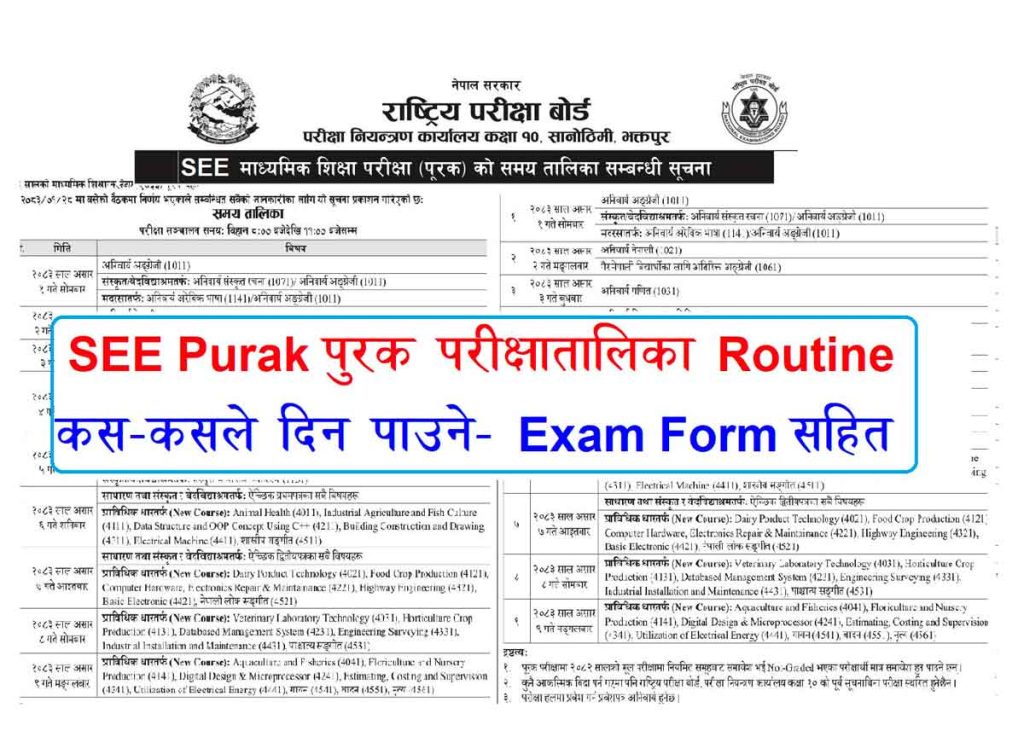
=> View SEE Purak Exam Routine & Form

SEE Exam TOP Model Questions with Answer Collection
Class 10 SEE Exam Model Questions Paper Collection
Class 12 Exam Model Questions Paper Collection
Class 12 Result check with College School Ledger Download